
 Christmas
 Pajama Dance
Two photos put both of you in matching red plaid Christmas pajamas doing a synchronized holiday dance in front of a glowing tree (silent MP4 so you can pair any holiday track).
Use this card — Christmas Pajama Dance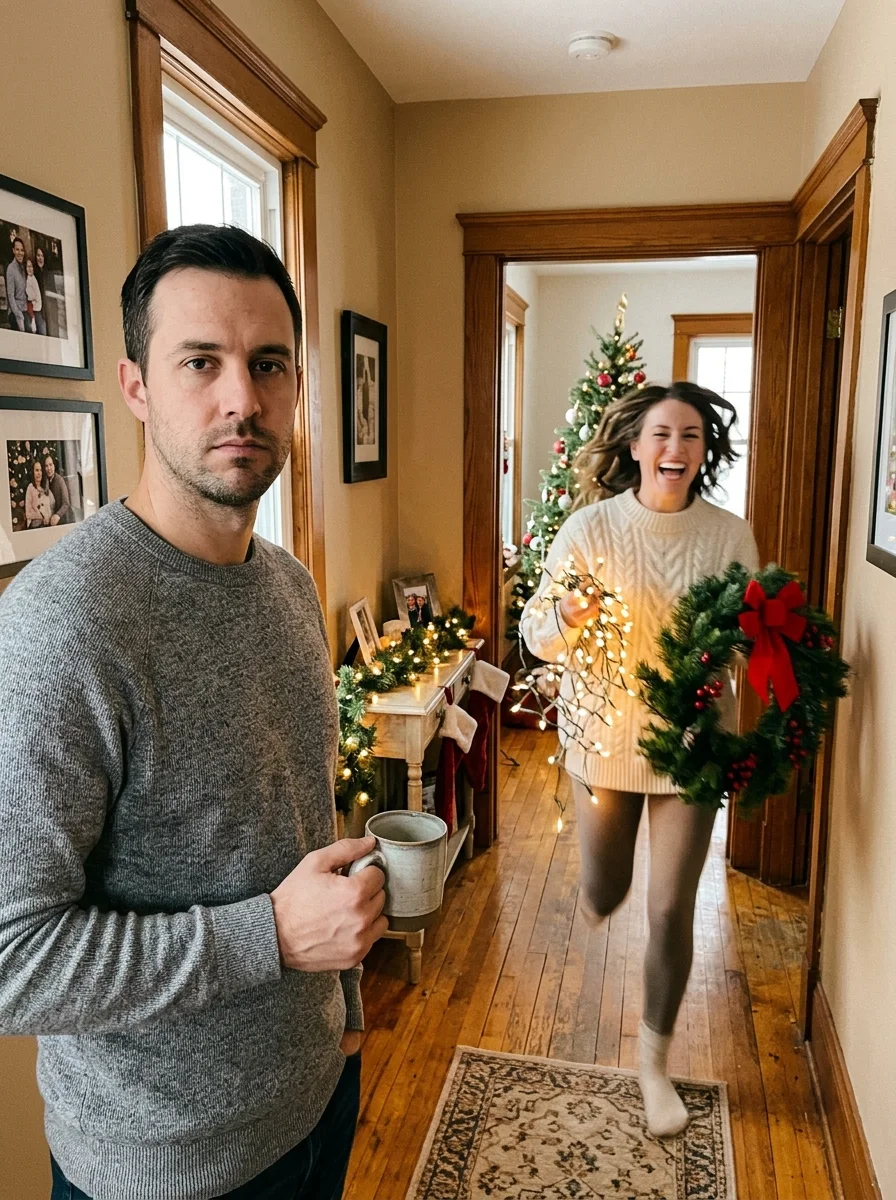 Christmas
 Lights Rush
One of you holds a deadpan mug in the hallway while the other sprints past tangled in glowing Christmas lights, wreaths and a twinkling mini tree (silent comedy skit).
Use this card — Christmas Lights Rush
Funny Christmas Ecards With Your Real Face
Pick a dance card, add photos of friends, family, or pets, and send a Christmas video they’ll want to replay.
- Packs from $9.99 · No subscription
- MP4 or share link
- No account to watch
Add your photos
Choose photo
Choose photo
At least 240 × 240 px. Photo tips
- Use clear, front-facing originals with one person or pet per photo, at least 240 × 240 px.
40 credits (≈ $4.00)
Packs from $9.99 (100 credits)
Only use photos you have permission to use. No celebrity photos.
See the cards in action
Play a finished example, then try its template with your photos. These examples use AI-generated photos.
Make it. Then send it.
Choose your cast
Pick a card and add one or two clear, front-facing photos. Turn on the pet setting if you’re using a pet photo.
Watch it before you send
Most cards are ready in a few minutes. For a longer or sharper video you need on Christmas morning, make it a day or two ahead.
Send a link or the video
Share a link in a group chat or email, or download the MP4. Recipients can play the link in their browser without signing in.
Who’s in your card?
- Your partner
- Put the two of you on the same stage.
- Friends and siblings
- Cast the pair who always grabs the mic.
- Parents and grandparents
- Give the family chat a surprise duet.
- The family dog
- Make the dog the host of the holiday party.
Simple one-time pricing, no holiday subscription
Yay Cards is paid per render using one-time credit packs starting at $9.99 for 100 credits (valid for 1 year). A 10-second 480p Christmas video card uses 40 credits (about $4.00 at the Starter rate), and failed renders refund credits automatically.
Christmas card questions
Are Yay Cards Christmas ecards free, and how much do they cost?
No, there is no free generation. Credits are sold in one-time packs starting at $9.99 for 100 credits (no subscription). A 10-second 480p card uses 40 credits, about $4.00 at the Starter rate.
How do I make and share a Christmas video card?
Choose a card and upload your photos. Once the video is ready, share its link or download the MP4 and send it with a Christmas message.
How late can I make one?
Renders usually take a few minutes, and longer or higher-resolution videos take longer. Leave enough time to watch the result before you send it.
Can I put the dog or cat in a Christmas card?
Yes. All four cards accept dog or cat photos — turn on the pet photo setting before you generate.
Does the recipient need an account?
No. Send the share link and it plays in a browser, with no sign-up and no app.
Can I download the card and send the file?
Yes. Download the MP4 in 9:16 vertical or 16:9 wide (up to 1080p) and send it in any chat app or email.
Are my Christmas photos kept private?
Yes. Your uploaded photos are used only to render your card and are never published on the site. You can request deletion anytime via Support tickets.
What if my Christmas video fails to render?
Credits for any failed render are refunded to your balance automatically.
How is this different from cartoon Christmas ecards like JibJab?
Instead of pasting cutout faces onto cartoon elves, Yay Cards generates real-looking people (or pets) moving in a real scene, with one-time credit packs and no annual subscription.